Preview • macOS & iPadOS

Crowsnest
Your clusters in view.

The native Kubernetes management app for Mac and iPad – resources, logs, YAML editor, pod shell and port forwarding in one place.

Crowsnest app icon

About Crowsnest

Kubernetes management, native on Mac and iPad

Crowsnest is a native app for managing Kubernetes clusters on the Mac and the iPad. Its interface follows the desktop Kubernetes IDEs you already know, but it is built entirely in SwiftUI, so it feels at home on macOS and iPadOS.

See the health of your cluster at a glance, find any resource in a few clicks and get the everyday work done right in the app: follow logs, edit and apply manifests, scale deployments or open a shell in a container.
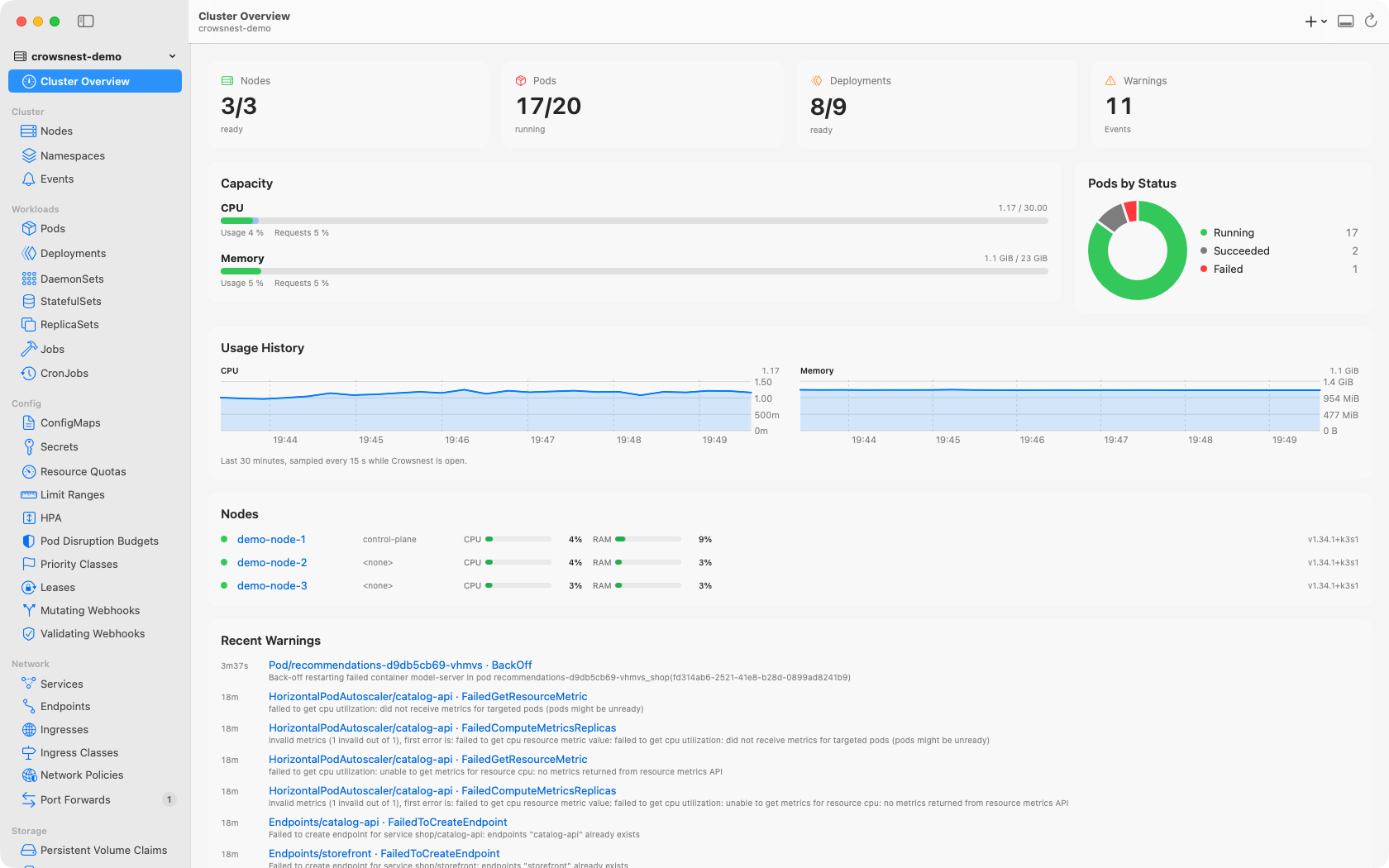
Crowsnest on the Mac: cluster overview with capacity, pods by status, usage history and nodes
Cluster overview with live usage and history
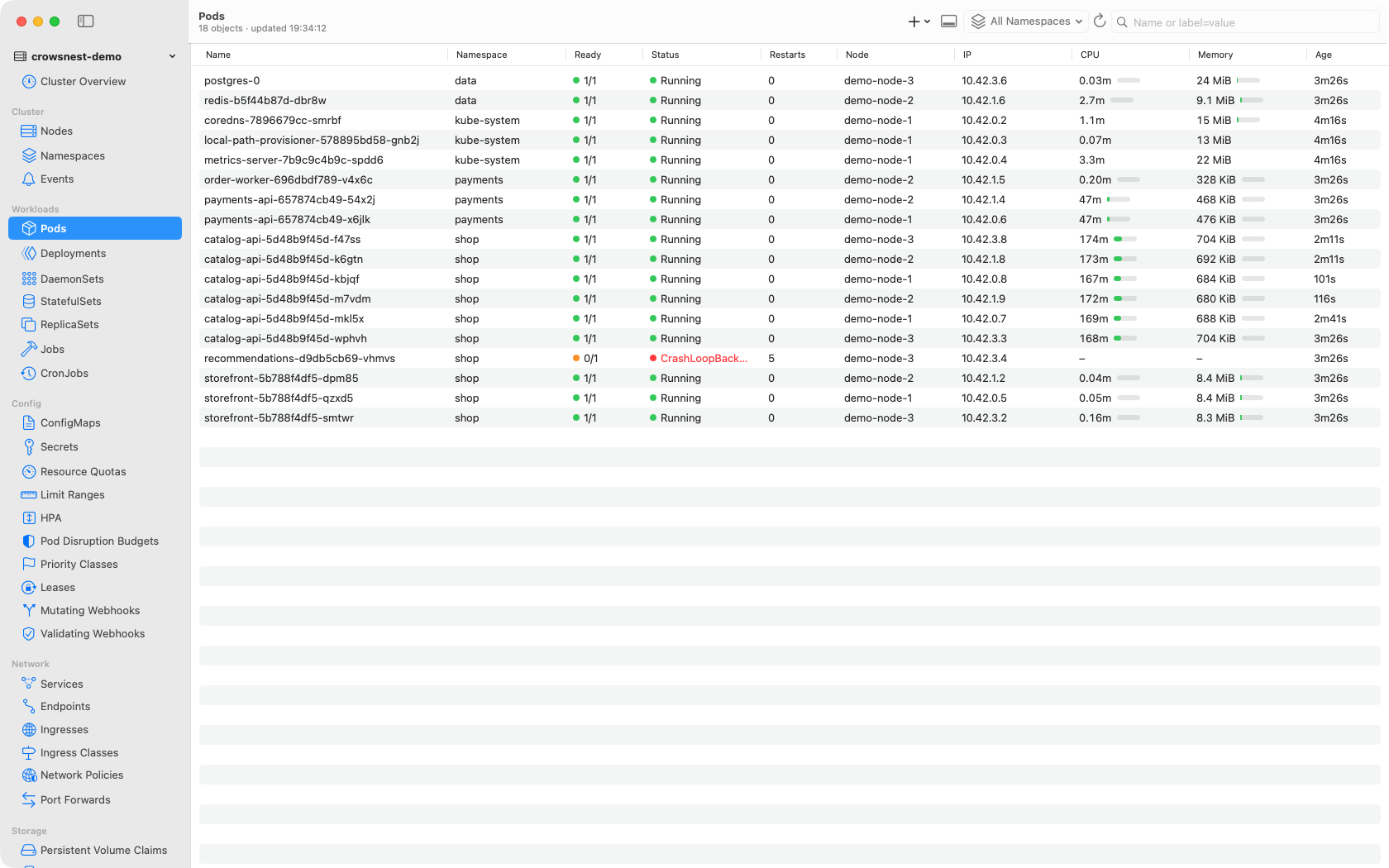
Pod list across namespaces with CPU and memory usage
Pods with CPU and memory vs. limits
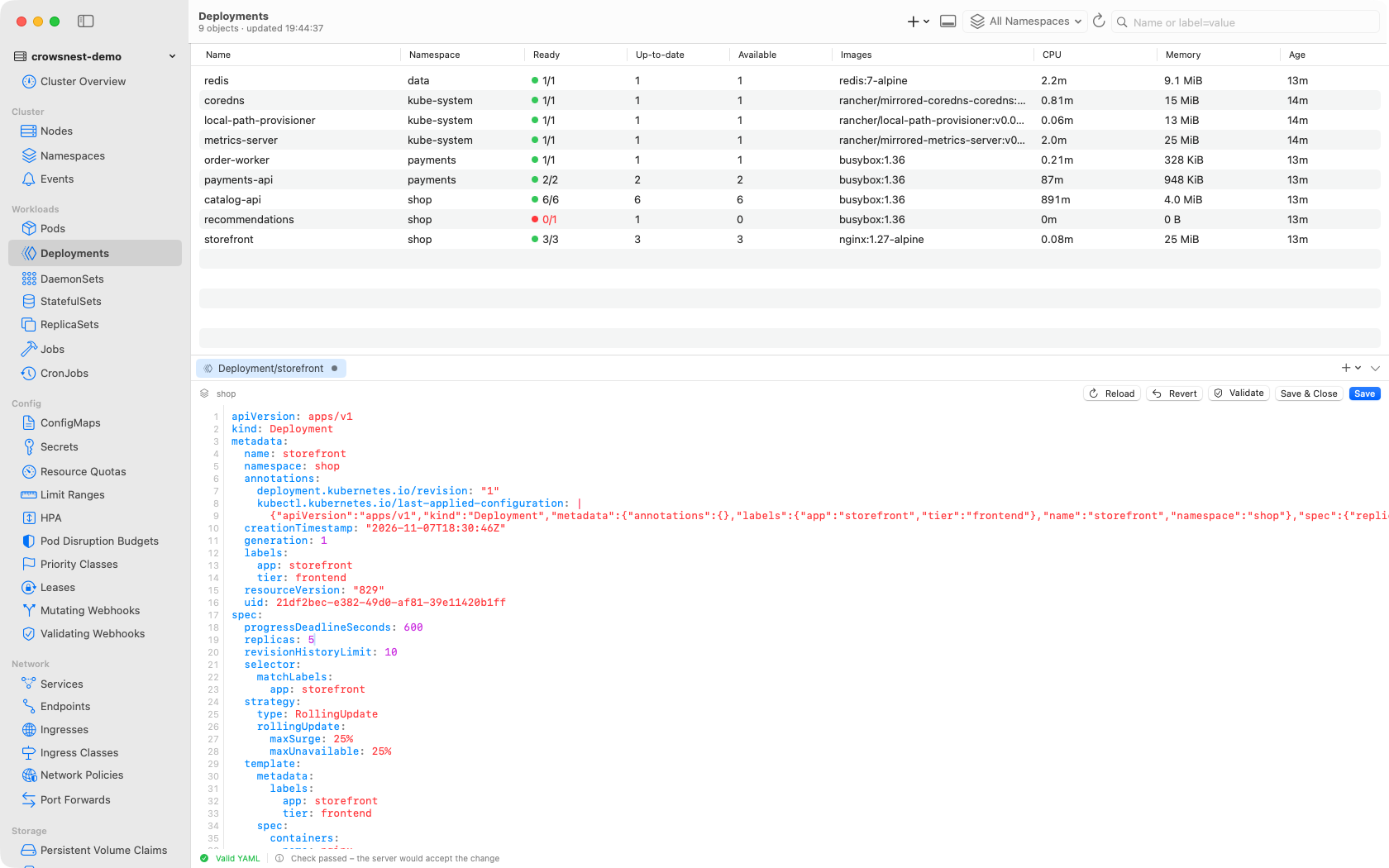
YAML editor with a server-side dry run
YAML editor with server-side dry run
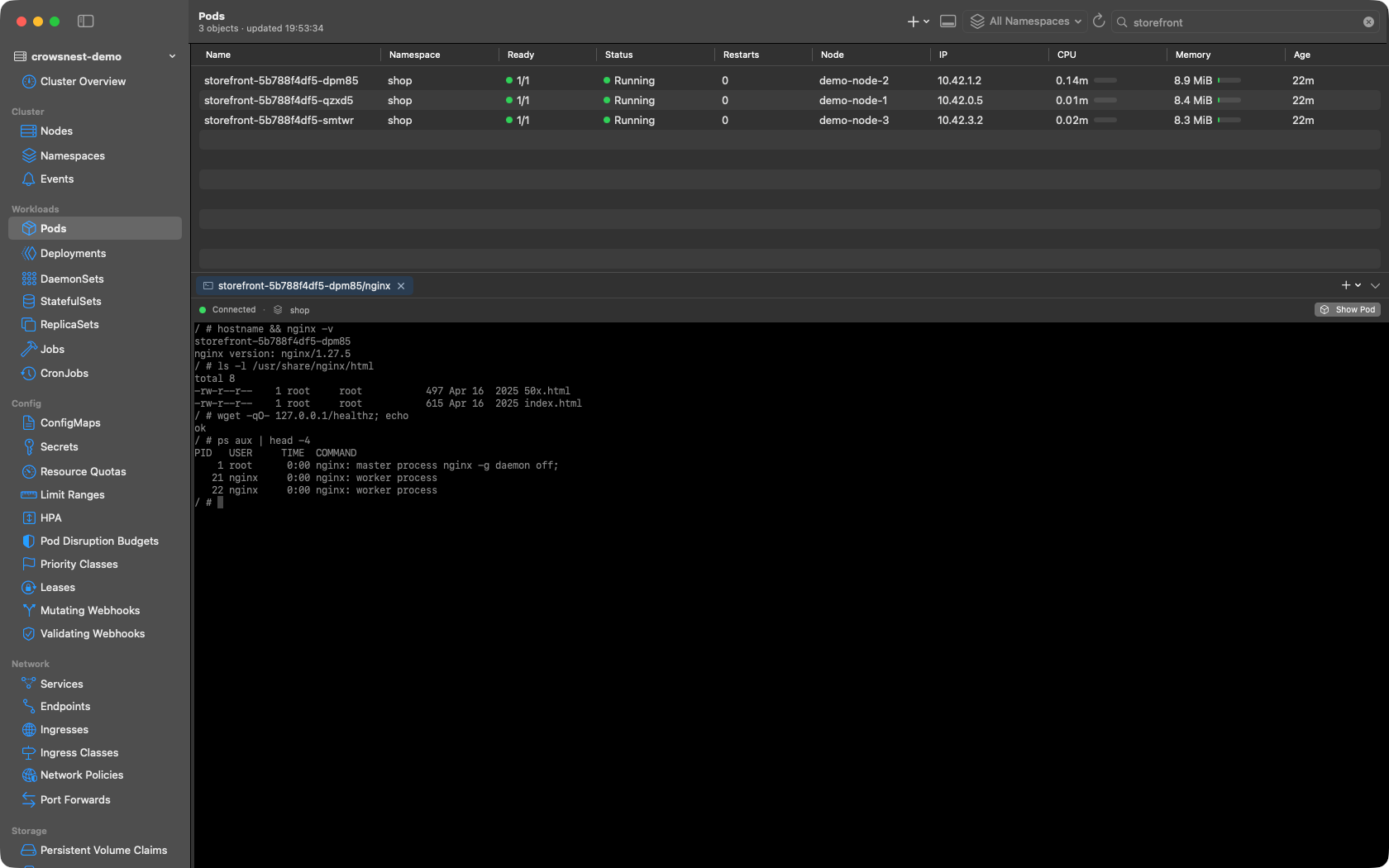
Shell in an nginx container, dark mode
Pod shell – also in dark mode

Features

Everything that matters, in one place

From the overview of the whole cluster down to a shell in a single container.

Cluster overview
Nodes, pods and warnings at a glance, plus CPU and memory usage (requires metrics-server).
Resource browser
Grouped into Workloads, Config, Network, Storage, Access Control and Custom Resources – including CRDs with their printer columns.
Details panel
Overview, YAML, live logs and events for every resource in one panel.
YAML editor
Built-in editor with syntax highlighting and live validation. Check changes with a server-side dry run and apply them with server-side apply. Templates get new resources started.
Actions
Scale, rollout restart, cordon/uncordon, trigger a CronJob now or delete resources – right from the app.
Multiple clusters
Every context in your kubeconfig is available – switch clusters with a single click.
Authentication
Client certificates and tokens; on the Mac also exec plugins such as aws, gcloud and kubelogin.

Platforms

For Mac and iPad

One app, made for both devices.

macOS
Crowsnest reads your existing kubeconfig and supports certificates and tokens as well as exec plugins such as aws, gcloud and kubelogin.
iPadOS
Import your kubeconfig from the Files app or the clipboard – and keep an eye on your clusters on the go.

Privacy

Your data stays with you

Crowsnest only ever connects directly to your own clusters.

No account
No sign-up, no Altiros login – start the app, pick a kubeconfig, go.
No telemetry
Crowsnest collects no usage data and puts no cloud service in between.
Credentials stay local
Certificates, tokens and kubeconfigs never leave your device.

Preview

Try the Mac preview

The macOS preview is available now (macOS 15 or later, signed and notarized). The iPad version follows via TestFlight. Questions, ideas or bugs? Open an issue on GitHub or get in touch.

Contact us Follow on GitHub